
Webflow doesn't have to be a static brochure. Here's how I use webhooks, Zapier, Make, and AI integrations to turn Webflow sites into dynamic platforms that automate real business processes.
April 12, 2026
.webp)
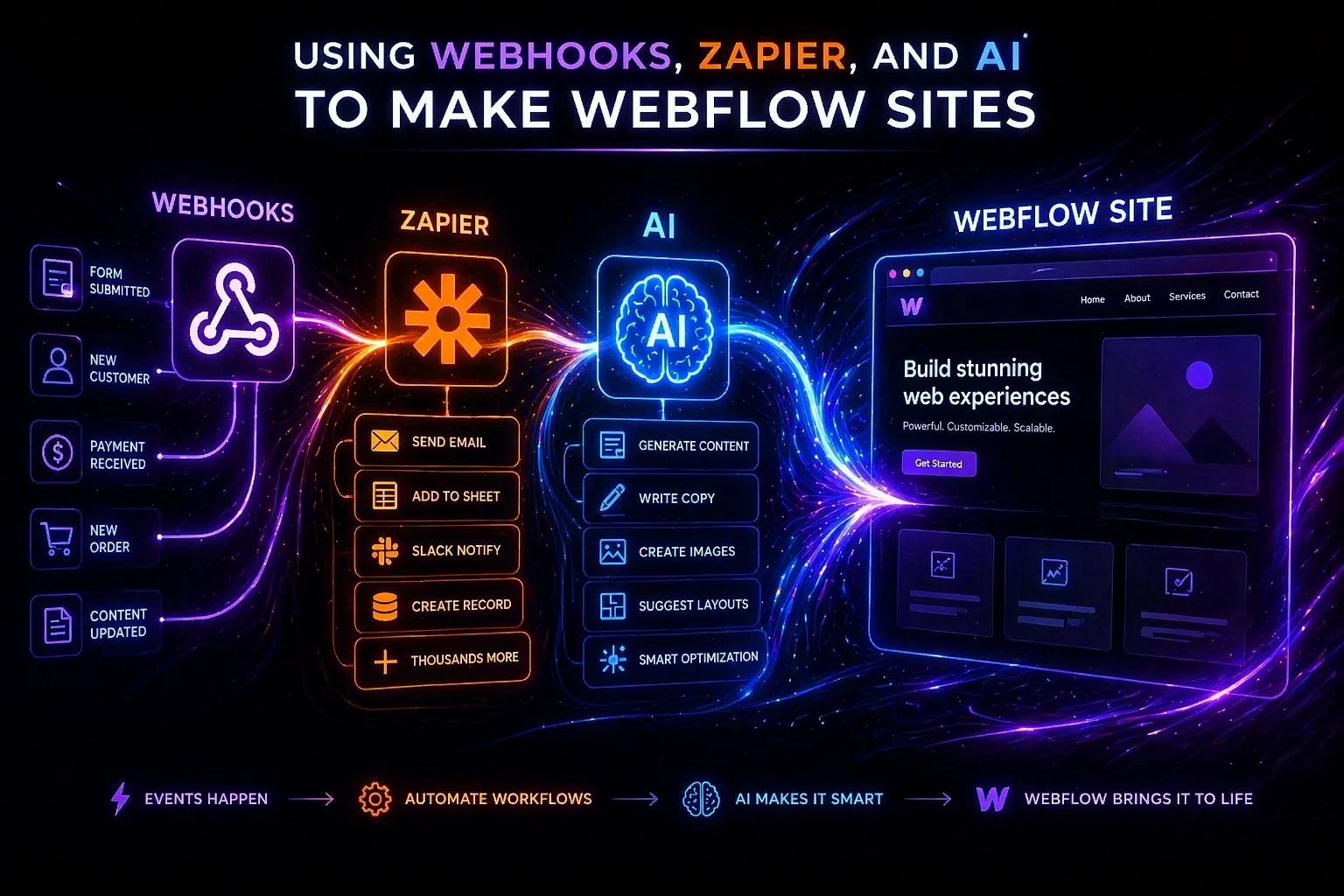
There's a perception that Webflow sites are static. You build the pages, populate the CMS, publish, and that's it. The site sits there looking nice but not actually doing much.
That's never been how I build. Every client project I take on, I'm looking for opportunities to make the site work harder automating processes, connecting systems, and extending what Webflow can do beyond its native capabilities. Webhooks, Zapier, Make, and AI integrations are how I get there.
This matters more than ever now. In June 2025, Webflow sunset Logic, its native workflow automation tool. All existing Logic flows were disabled. That means any automation you want on a Webflow site now has to go through external tools. If you're not comfortable with webhooks and third-party automation platforms, you're leaving a lot of value on the table.
A webhook is a notification that Webflow sends to an external URL when something happens on your site. Someone submits a form? Webflow sends a JSON payload to whatever URL you've configured. A new CMS item gets published? Another payload. An ecommerce order comes in? Same thing.
Webflow currently supports 14 webhook event types, covering everything from form submissions to CMS item changes to ecommerce events. You're allowed up to 75 webhook registrations per trigger type per site, which is more than enough for most use cases.
The payloads are JSON POST requests, and Webflow includes SHA-256 HMAC signature verification so you can confirm the data actually came from Webflow and hasn't been tampered with.
What makes webhooks powerful isn't the notification itself it's what you do with it on the other end.
Zapier and Make: where the automation lives
Since Webflow Logic is gone, Zapier and Make are the primary automation platforms for Webflow sites. Both are native apps in Webflow's marketplace, and Webflow expanded its Zapier partnership in December 2024, embedding Zapier directly inside the Webflow interface.
Zapier connects to over 7,000 apps. When a Webflow form is submitted, Zapier can simultaneously add the lead to a HubSpot CRM, send a Slack notification to the sales team, add them to a Mailchimp audience, and create a follow-up task in Asana. That's one form submission triggering four automated actions, all without any custom code.
Make (formerly Integromat) offers similar functionality with more visual flexibility for complex conditional logic. If your workflow needs branching - for example, routing different form submissions to different teams based on which service they selected Make handles that more elegantly than Zapier, and it's typically cheaper at scale.
Here are a few examples from actual client work.
For a lead generation site, I set up Webflow form submissions to trigger a Zapier workflow that qualified leads based on form field values, added qualified leads to a CRM, sent a personalised confirmation email, and notified the sales team via Slack all within seconds of the form being submitted. The client was previously doing this manually, which meant leads sometimes waited hours for a response. Automation brought that down to under a minute.
For a content-heavy platform, I used Make to syndicate new blog posts to social media channels automatically. When a CMS item in the blog collection was published, Make detected the webhook, pulled the title, summary, and featured image, formatted posts for each platform, and scheduled them. It eliminated hours of manual work every week.
For an ecommerce build, I connected Webflow's order webhooks to a fulfilment system and an accounting tool. New orders automatically created records in both systems, reducing data entry errors and speeding up the fulfilment pipeline.
This is where things get really interesting for me. I'm not just connecting Webflow to existing tools I'm routing data through AI to make the workflows smarter.
The architecture is always the same: Webflow frontend → automation platform (Zapier or Make) → AI API → output. For example, form submissions can be routed through an AI model that classifies the enquiry type and drafts a personalised response. Or CMS content can be passed through an AI for SEO optimisation before it goes live.
The key technical consideration is that you should never expose API keys in client-side code. Any AI integration needs to go through a server-side proxy. Either an automation platform or a serverless function on Vercel or Netlify.
In February 2026, Webflow and Anthropic launched a native connector that gives Claude direct access to your Webflow project through the Model Context Protocol. This isn't a Zapier workflow or a custom script it's a first-party integration where Claude can read and write to your CMS, manage styles and components, run SEO audits, and apply fixes, all from a conversation window.
Setup takes under three minutes. You add the connector from Claude's interface, authorise your Webflow sites via OAuth, and start prompting. I've used it to bulk-update CMS items, audit meta titles across entire sites, and check heading hierarchy tasks that would take hours manually.
This is genuinely new territory for Webflow development. Having an AI that understands your site's structure and can act on it directly changes the game for maintenance, content management, and QA.
If you want to push Webflow even further, the WWX stack Webflow + Wized + Xano turns it into a full application platform. Webflow handles the frontend, Wized manages dynamic data binding and user interactions, and Xano provides a no-code backend with databases, authentication, and business logic.
I've seen this stack used for client portals, job boards, and SaaS frontends. It's not the right choice for every project, but for clients who want the visual control of Webflow with the functionality of a custom web app, it's a compelling option.
If you're a Webflow developer who only builds static marketing sites, you're competing with templates and AI site builders. The developers who thrive are the ones who can connect systems, automate processes, and extend the platform beyond its native boundaries.
Every time I show a client what their Webflow site can do beyond just displaying content automating their lead pipeline, syndicating their content, connecting to their CRM the conversation shifts from "how much does a website cost" to "how much value can this platform generate."
That's a much better conversation to be in.